web化是软件设计的标准实现之一,记录这些相关知识,帮助自己时刻复习相关概念和设计。
HTML + CSS + Javascript
使用https://codepen.io/进行所见即所得的设计验证
在使用visual studio code进行编程时,可以使用ctrl + ?快捷键添加HTML注释<!-- -->
HTML小结
参考网站
https://developer.mozilla.org/zh-CN/docs/Web/HTML
文本超链接在新标签打开
<a href="https://www.google.com" target="_blank">go to website</a>
列表
无序列表
<ul>
    <li>List Item 1</li>
    <li>List Item 2</li>
    <li>List Item 3</li>
</ul>- List Item 1
- List Item 2
- List Item 3
有序列表
<ol>
    <li>List Item 1</li>
    <li>List Item 2</li>
    <li>List Item 3</li>
</ol>- List Item 1
- List Item 2
- List Item 3
表格
<table>
    <thead>
        <tr>
            <th>First Name</th>
            <th>Last Name</th>
            <th>Age</th>
            <th>Email</th>
        </tr>
    </thead>
    <tbody>
        <tr>
            <td>Leonard</td>
            <td>Chan</td>
            <td>99</td>
            <td>abc@abc.com</td>
        </tr>
        <tr>
            <td>Bill</td>
            <td>Gate</td>
            <td>88</td>
            <td>ceo@microsoft.com</td>
        </tr>
        <tr>
            <td>Donald</td>
            <td>Trump</td>
            <td>77</td>
            <td>king@usa.gov</td>
        </tr>
    </tbody>
</table>| First Name | Last Name | Age | |
|---|---|---|---|
| Leonard | Chan | 99 | abc@abc.com |
| Bill | Gate | 88 | ceo@microsoft.com |
| Donald | Trump | 77 | king@usa.gov |
CSS知识小结
关于CSS的添加,有三种方式,优先选择第一种,保持代码的解耦和设计修改的方便:
| 外部样式表 | 内部样式表 | 内联样式(不推荐) |
|---|---|---|
| CSS保存在.css文件中 在HTML里使用 <link href="x.css" rel="stylesheet"/>引用 | 不使用外部CSS文件 将CSS放在HTML <style></style>里 | 仅影响一个元素 在HTML元素的style属性中添加 |
CSS对HTML元素的选择方式
| Selector | Class | ID |
|---|---|---|
| p {} ul{} body{} a{} h{} img{} hr{} | .Class_name{} | #ID_name{} |
浏览器视图元素介绍
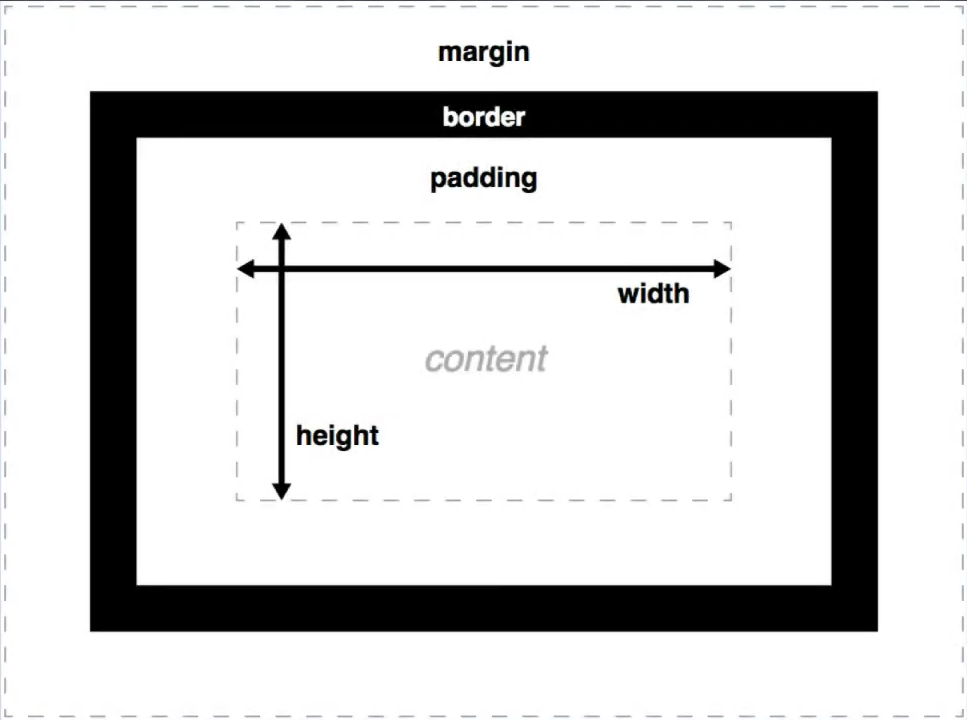
外边距之间会互相合并,取彼此之间最大的margin值作为外边距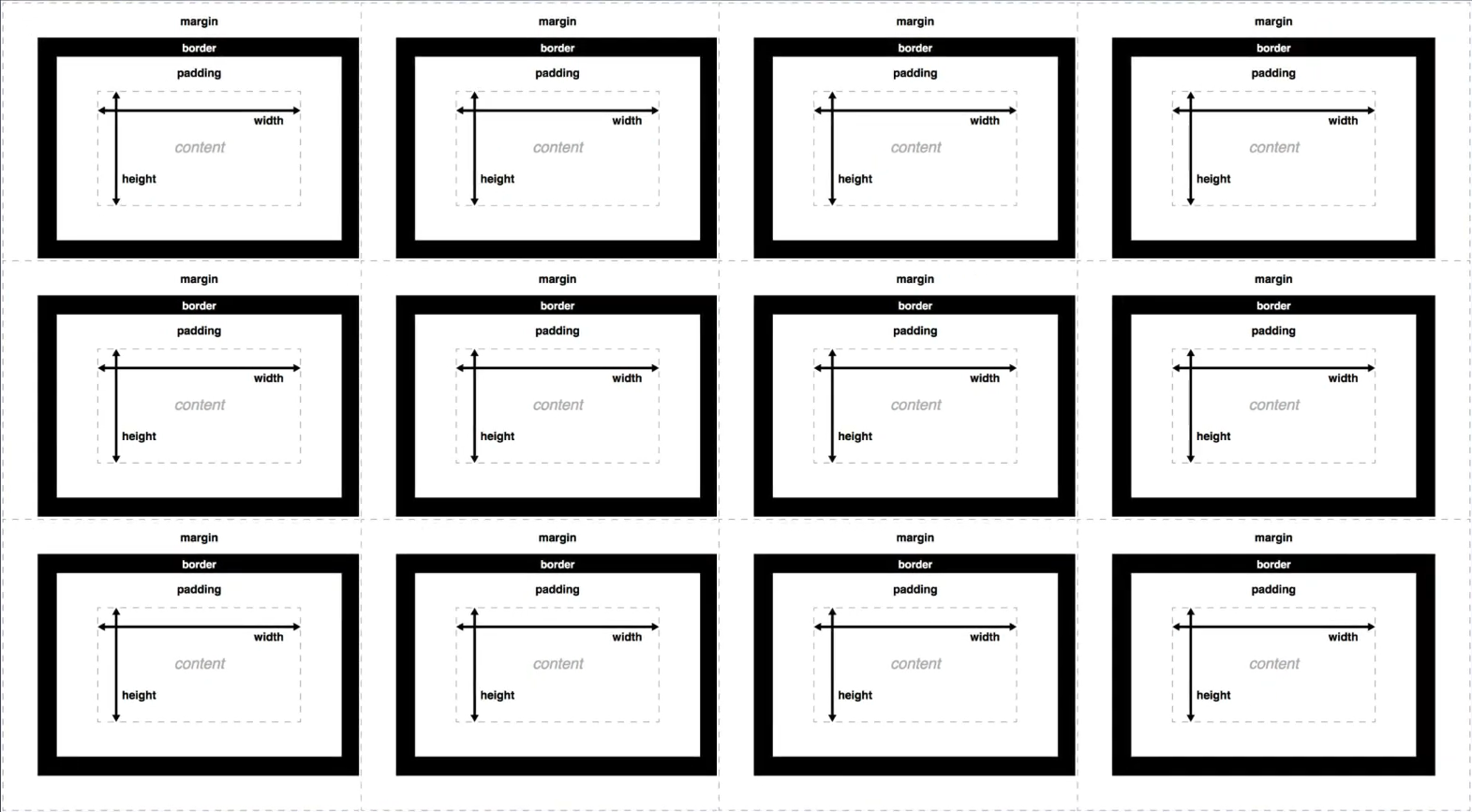
Javascript小结
| 外部的JS | 内部的JS | 内联Javascript(不推荐) |
|---|---|---|
HTML引用外部js文件<script src="xx.js"></script> | <script>xxx</script> | <button onclick="CreateParagraph()">Click Me</button> |
HTML DOM Style Object
参考网站
https://www.w3schools.com/jsref/dom_obj_style.asp
获得对象h1的class名称:
document.querySelector("h1").classList;
将对象h1的具体类名增加/删除:
document.querySelector("h1").classList.toggle("title");
document.querySelector("h1").classList.add("title");
document.querySelector("h1").classList.remove("title");